


FreeSwitch FAQ
From FreeSWITCH Wiki
General
Q: What’s the difference between PBX and soft-switch isn’t this just semantics?
A PBX is an entity that allows a private company to have its own mini phone company providing services like voicemail, extensions and conferencing to phones. The primary focus of a PBX is for multiple phones to find each other and communicate.
A soft-switch is a software application that can connect phone lines from one network to another, often routing calls from one protocol to another or to a termination point such as a PBX. FreeSWITCH has the potential to also implement a PBX but it is not mandated to. Think of it as a lower level application than a PBX. It’s possible to load several modules into FreeSWITCH to make it behave exactly like a cluster of PBX applications. This is entirely easier than trying to make a single monolithic PBX behave as a switch especially when much of the PBX functionality is permanently built into the core of the PBX application.
Q: What language is FreeSWITCH™ written in?
There are several languages, the core is written in C. Modules are mostly in C but some are C++. Some modules give you the ability to write applications in different languages, including Javascript/ECMAScript, Python, Java, Perl, Lua, and .NET on the horizon.
Q: What about all that Asterisk development you did?
It was not in vain, I still use the software, heck I even do consulting on it for people all the time. I spent several years contributing to it and I have developed many third-party modules for Asterisk located on my asterisk stuff page.
FreeSWITCH simply represents my concept of the future of Telephony.
Q: So can you do anything useful with it?
Yes, there are endpoints that implement SIP, IAX2, Jingle (GoogleTalk) Woomera, sound cards and Wanpipe TDM cards. You can use it as both a client and a server for VoIP communications, gateway a call from 1 protocol to another and execute IVR scripts written in one of several languages such as JavaScript, Perl or C#. There is an extensive event engine that will inform you of anything that happens on the system as well as an XML RPC interface that allows you to send and receive data from the core via HTTP.
There is abstraction in place to allow data to be pulled from XML, external HTTP requests, flat file (INI format) and via directory lookup, LDAP for example. The dial plan combines the power of XML and Perl Compatible Regular Expressions to allow one to route calls based on most any criteria from the call details.
Q: What? Did you say it can talk to GoogleTalk?
Yes in March of 2006 I developed my own XMPP telephony signaling library that is capable of communicating with Google’s GoogleTalk. With a single Jabber account you can receive endless simultaneous calls from GoogleTalk clients and gateway those calls to IVR or another voice protocol like SIP or H.323. When FreeSWITCH is on both ends of the call you can bypass NAT and send extended data such as Caller ID and DNIS.
Q: Is anyone running Freeswitch in production?
Yes.
Q: How many concurrent calls can it support? Any benchmarks?
- FreeSWITCH has done 3000 concurrent channels with media on a dual woodcrest 2.0 GHz (1 year old). The test was to play back a wav file so there was slight transcoding going on.
- With current modern cpus you should be able to do 6000 channels per chassis, both because there are 2x the cores as well as 50% additional cycles per core. A dual clovertown (quad instead of dual core) at 3.0GHz should be able to at least double your channel capacity
Q: How long have you been working on this project?
The initial release of the code that actually did anything interesting was in early January 2006. I started actual development in private sometime in the beginning of October 2005.
Q: When will you have the first tagged release?
ASAP, we are now in the stage of trying to get a first release out in time for ClueCon where we will be presenting FreeSWITCH. We want to finalize any API interfaces and make sure there is ample valid documentation as well before any formal release is made.
Q: What is ClueCon?
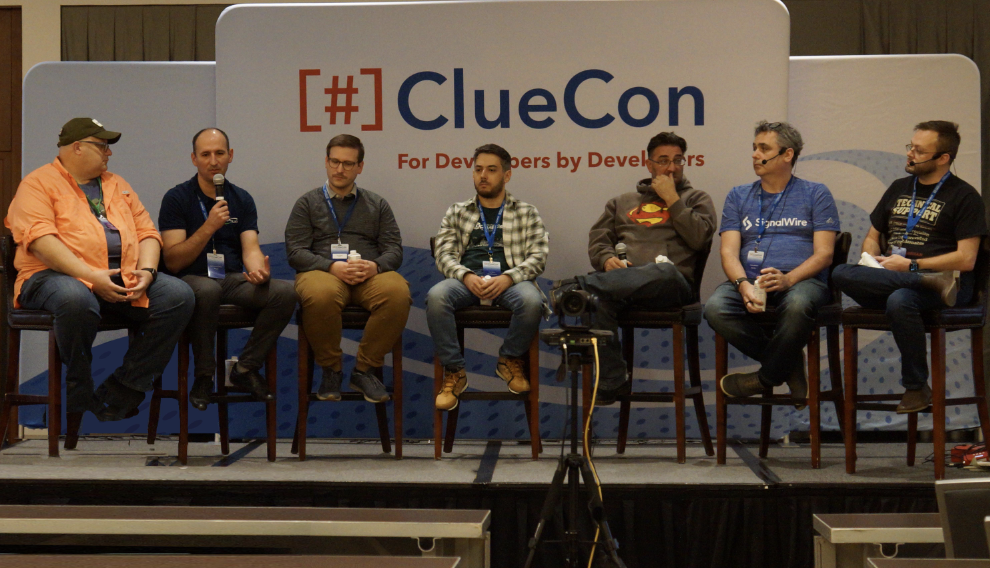
ClueCon http://www.cluecon.com is an annual telephony developer conference in Chicago where leaders of various popular VoIP projects and other telephony developers adjourn to speak and share ideas as well as give informative presentations. It’s a three-day opportunity to be immersed in this emerging technology by day and spend the evenings in downtown Chicago!
Q: Which phones work with FreeSwitch?
Check this list: Interop List
Getting Help
Q: Is there any documentation available?
Yes. There are nearly 500 pages (as of November 2007) of documentation available at http://wiki.freeswitch.org/wiki/Documentation.
Q: Do you guys support irc/chat?
Yes. Volunteers who are both novice and experts with FreeSwitch (and everything in between) gather on #freeswitch on irc.freenode.net. You can use many IRC chat clients to connect such as Mirc for windows, Snak for Mac/OSX, xchat for X11 enabled *nix, ChatZilla for Mozilla browsers or any other standard IRC program. We primarily speak english there, however, we do have an automated translation service for many other languages.
Q: Do you guys run a teleconference where I can talk about FreeSwitch?
Yes! We support a variety of methods to call us - these all goto the same place:
- IAX: guest@conference.freeswitch.org/888
- SIP: 888@conference.freeswitch.org
- Google Talk/Jingle: freeswitch@gmail.com
- Google Talk/Jingle: 888@jabber.asterlink.com
- H.323: 888@conference.freeswitch.org
Q: Do you have a mailing list where I can ask questions about FreeSwitch?
We sure do. To sign up you can goto http://lists.freeswitch.org
Troubleshooting
Q: My fresh install of FreeSwitch is throwing SQL ERR[no such table: <table_name>]
This is usually followed by an "Auto Generating Table!" message. This is normal behavior when FS does not find the sqlite database/table that it needs. As long as the message is not repeated upon a restart of FS, you can ignore this error.
Q: Show channels, conference list, and other console commands show no output
You probably have an old copy of the db schema where that information is tracked rm -rf /usr/local/freeswitch/db/* and restart FreeSwitch to see if that fixes the issue.
Q: What do I have to check if my Win32 FreeSwitch doesn't start?
For the correct functioning you need msvcr80d.dll which can be on your system already. If you don't have this dll, it's recommended to try installing the 'Microsoft Visual C++ 2005 Redistributable Package' e.g. for x86
Q: How can I troubleshoot SIP?
Check: Debugging Freeswitch and FreeSwitch Enpoint Sofia
Q: How can I compile FreeSwitch with debug symbols?
- export CFLAGS="-g -ggdb"
- export MOD_CFLAGS="-g -ggdb"
- ./configure
- make megaclean (if you want every lib with it)
- make sure (if you want just FreeSwitch)
Q: Why do I get the error "Invalid Application <name>"?
The most common reason for error is that you have not loaded the correct module.
Q: mod_spidermonkey_odbc throwing the following error:
- Error SQLConnect=-1 errno=0 [unixODBC][Driver Manager]Data source name not found, and no default driver specified
Make sure your odbc driver (odbc.ini) and data source (odbcinst.ini) are in the /usr/local/freeswitch/etc directory.
(usually they are in /etc directory - symlink them). See also unixODBC configuration.
Q: what does this ICMP error mean?
For one reason or another your connection was refused... See Connection Refused for more details
Running as service
Q: How can I run freeswitch on background?
Just run freeswitch with the option -nc
Q: Are there something like telnet available when running FS in the background?
Yes, install scripts/socket/fs.pl and the scripts/socket/FreeSWITCH and make sure mod_Event_socket is loaded
Q: How do I stop, a freeswitch daemon running in background?
Just run freeswitch with the option -stop
Q: How do I setup high priority to my freeswitch daemon?
Just run freeswitch with the option -hp
Q: How do I juggle multiple instances on the same box?
See the advanced configuration guide
Hardware/OS compatibility
Q: Does it run on Amazon Elastic Cloud?
Yes, see amazon ec2.
Compilation
Q: Do I need to download all those external libs?
No, make installall downloads the ones you need based on what modules you selected to compile.
Q: How do I use my local dir instead of /usr/local/freeswitch/?
./configure --prefix=/my/install/dir
Q: How do I select modules to build?
edit modules.conf in the source directory and put a # infront of any module you dont want and remove any # from the ones you do (in windows you use the normal visual studio methods to change dependancies via the configuration manager)
Q: How can I compile FreeSwitch with Microsoft Visual C++ 2005 Express Edition?
Install the Microsoft Platform SDK and Visual C++ 2005 and than you have to make steps written on Using Visual C++ 2005 Express Edition with the Microsoft Platform SDK. Import Freeswitch.sln and let's build. After importing you can ignore messages 'Solution folders are not supported in this version of Visual Studio." The default build is the Debug build at the moment.
Q: I have problems on CentOS (possible other distros) with "/lib/cpp" failing sanity check?
"./configure" on CentOS 4.4 spits out the following error : "configure: error: C++ preprocessor "/lib/cpp" fails sanity check". Try "yum install gcc-c++ compat-gcc-32 compat-gcc-32-c++". Check the dependencies and agree (if you agree!).
Q: I get an error while issuing "make megaclean"
Try running the commands in the following order: "./bootstrap.sh", "./configure", "make megaclean" and finally "make installall"
Q: I don't have Microsoft Visual C++. Will there be a binary download for Windows?
SIP
Q: How do I setup SIP client authentication?
See the Sofia module documentation for information on this.
Q: How do I set up Music on Hold (MOH)?
See the hold-music option in the Sofia Configuration Files for per-trunk settings, or the per-channel variable hold_music in the dialplan XML
Q: Can the channel be automatically hung-up after RTP inactivity?
Yes, This can be turned on via two params on the sofia profile. They are rtp-timeout-sec and rtp-hold-timeout-sec.
IAX2
Q: How do I setup IAX2 client authentication?
The user abstraction layer hasn't been hammered out yet, when that is put in place authentication will follow.
PSTN
Q: Can I use freeSwitch with analog lines (FXS/FXO)?
OpenZAP supports analog cards. Please see OpenZAP for current status.
Q: Can I use freeSwitch with isdn BRI/BRA lines (S0 Basic Rate Interface)?
The q931/q921 in OpenZAP will not support BRI as it stands today, and it will take quite some work for this to happen. But we have something in the plans for BRI sooner than that.
Q: Can I use freeSwitch with a PRI (E1/J1/T1)?
OpenZAP supports PRI cards (as well as analog cards). OpenZAP replaces mod_wanpipe. Previously, support was added for Sangoma PRI cards via mod_wanpipe.
Applications
Q: How can I use the JavaScript (ECMA Script) dialplan?
- make sure that mod_spidermonkey is compiled (modules.conf in the src dir)
- make sure mod_spidermonkey is enabled in freeswitch.xml
- in your dialplan call 'javascript' with the path to the script as the argument
- eg: <action application="javascript" data="/tmp/test.js"/>
- Visit the Javascript documentation for the FreeSwitch specific extensions to javascript
Q: How can I run FreeSwitch without console?
"freeswitch -nc" for No Console
- Other options available are:
- "freeswitch -hp" for high priority mode.
- "freeswitch -vg" for valgrind (useful for debugging)
Q: How can I use FreeSwitch as a Win32 service?
To install as a win32 service use "freeswitch -install" and "freeswitch -uninstall" for removing. You can start the service from command line with "net start freeswitch" and stop with "net stop freeswitch".
Q: How can I stop running FreeSwitch?
"freeswitch -stop"
Command Line Interface
Q: How can I originate a call?
For more info on sofia sip url syntax see: FreeSwitch Enpoint Sofia
Q: Does reloadxml reload all xml files?
It reloads the core xml cache.. which doesn't mean all changes take effect
- Dialplan and Directory both get fully refreshed
- Profile settings for sofia don't, but you can bounce a profile in sofia for new settings to take effect
- Conference settings will take affect next time a conf is created.. but will not go away while the conference is up and running
Call Routing
Q: How do I assign endpoints to contexts with different sets of extensions
Here are the different possible approaches:
- Use 1 profile per context you want to route to (each one needs a distinct ip:port)
- Use different domains in the registration data and use the auto context thing
- Send them all to a common context and execute_exten or transfer to somewhere else
- Send them to an IVR to decide where they go
- Use xml_curl to make it dish out a difft dialplan based on who they are in the list of data you are fed